

There’s a Dead Link Sitting in Your Published Books Right Now
And the worst part? You’d never know.

You finished your book. You spent months on it — the writing, the editing, the cover, the blurb, the launch. And somewhere in the back matter, you added a link. Maybe it was your reader magnet. Maybe it was your next book’s pre-order. Maybe it was your newsletter signup, your Facebook group, or your Amazon author page.
You hit publish. You moved on. You started the next book.
That link is still there. In every copy of that book that’s ever been downloaded.
And depending on what’s changed in your author business since you published — your email platform, your opt-in page, your cover, your retailer strategy, your website — that link might be pointing somewhere that no longer exists.
Your most motivated readers — the ones who loved your book enough to flip to the back matter and click something — hit a dead end. And you’d never know, because static links don’t send you a notification when they break.
The belief most indie authors have about back matter
“It’s set it and forget it.”
You add your links when you format the book. You upload. Done. The links live there forever and they just... work.
And honestly? That makes total sense. Back matter feels like a one-time task. It’s not something you revisit. Once the book is published, it’s published.
But here’s what that belief misses: your author business doesn’t stay still.
You switch email platforms. (Almost every author does this at least once.) You redesign your opt-in page. Your pre-order goes live and the link changes. You finally build your website and you want readers going there instead of your old Amazon page. You move from Kindle Unlimited to wide and now your back matter is sending readers to Amazon even though you’re available everywhere.
Every one of those changes leaves a trail of outdated links behind it — baked into books already sitting on your readers’ devices, pointing at places that no longer exist.
You can’t reach back into their Kindle app and update it. You can’t send an email to everyone who already downloaded the book. The link is there, frozen in time, doing whatever your past self decided it should do.
What redirect links are, and why they change everything
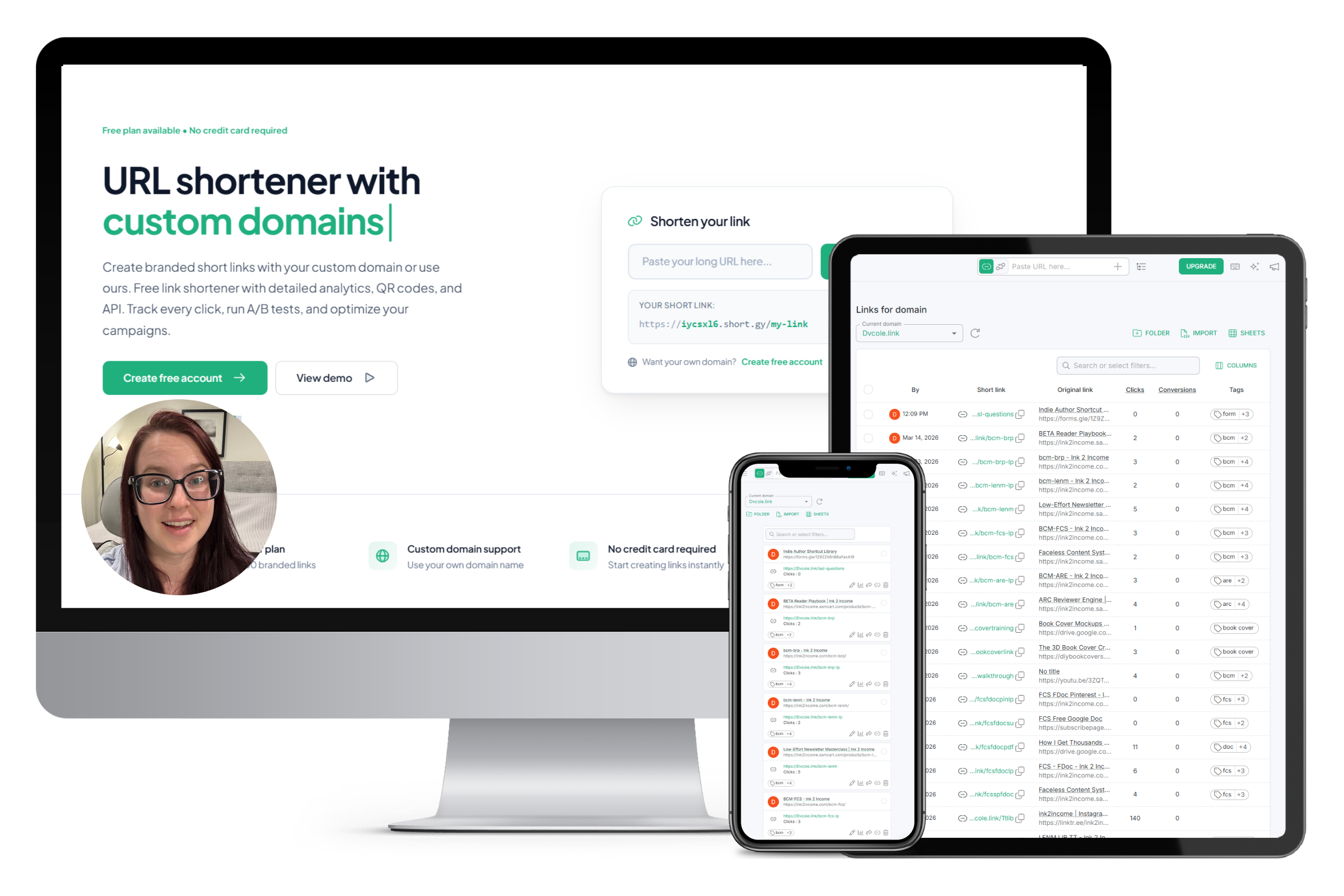
A redirect link is a short URL that you control. Instead of linking directly to your reader magnet opt-in page, you create a short redirect link — something like yourname.com/freebie — and you put that in your back matter.
When a reader clicks it, they get sent to wherever you’ve pointed that redirect link. Which could be your current opt-in page. Or your new one. Or a completely different offer. Or your website. Or anywhere else.
And if anything ever changes?
You log in, update the destination, and every link in every book you’ve ever published automatically points to the right place. In about thirty seconds.
You’re no longer at the mercy of decisions your past self made. You have control.
There’s also a second benefit most authors never think about: these links are trackable.
Right now, if someone asks you “which book in your backlist is driving the most traffic?” you probably don’t know. You have no visibility into which books your readers are actually clicking through from, which CTAs are working, which back matter strategies are paying off.
Redirect links give you that data. You can see exactly how many clicks each link gets, which means you can see which books are your best traffic drivers — and make smarter decisions about which ones to promote.
The links most authors aren’t protecting
Here’s a quick audit. Think through your back matter right now and ask yourself which of these you have linked directly — with a static URL you can’t change:
Start here — these are the highest-risk links in your author business:
Your reader magnet / freebie opt-in — If you’ve ever switched email platforms, this link has already broken at least once. This is the #1 link to set up as a redirect immediately.
Your next book’s pre-order — The moment that book launches, the pre-order link dies. Every copy of your previous book that linked to the pre-order is now pointing nowhere useful.
Your email newsletter signup — Separate from your reader magnet, if you have a general “join my newsletter” link, this is equally vulnerable to platform changes.
Your Amazon author page — If you’re planning to go wide, this link is already going to be wrong the moment you expand to other retailers.
Your Facebook group or community — Groups get shut down. URLs change. Platforms fall out of favor. A static link to your Facebook group is one platform decision away from being permanently broken.
Your website — If you didn’t have a website when you published your early books, you linked to something else. That placeholder is still there, in every copy, sending readers somewhere that isn’t your actual home base.
If even one of these applies to you, you have a broken or at-risk link sitting in a published book right now.
How I found out I had this problem
I was doing a routine audit of my author systems — the kind of check-in I do every few months to make sure everything is still running the way it should.
I clicked the links in my own back matter.
One of them was broken. Not redirecting wrong — just broken. The opt-in page I’d been using had been updated when I switched platforms, and the old URL was gone. The link in my books had been dead for months. I had no idea.
I don’t know how many readers clicked it during that time. I don’t know how many potential subscribers hit that dead end and just... moved on. There’s no way to recover that data.
What I do know is that I fixed it in about ten minutes using a redirect link — and I spent the rest of that afternoon setting up redirect links for every other link in my back matter so it could never happen again.
Now, whenever anything in my author business changes, I update the destination in one place. Every book I’ve ever published stays current automatically. And I can see exactly which books my readers are clicking through from, which has genuinely changed how I think about promoting my backlist.
If you want to set this up in your own books
I put together a straining on exactly how to do this — a video walkthrough plus a PDF that includes my recommended tool (it costs $3–$7 per year, so the investment is miniscule) and a complete list of 47 link types across 7 categories so you know exactly which links to set up first.
It’s called Link Leverage for Authors, and it’s $27.
If you’ve ever switched email platforms, gone through a pre-order, thought about going wide, or published a book before you had a website — this is the thing that protects all of it. Retroactively and going forward
.
You’ll have it set up before the end of the afternoon. And then you never have to think about it again.